Samsung 32” Odyssey G8 QD-OLED (G81SF): The Consensus
Disclosure: ORA Metrics may earn a commission on qualifying purchases made through the links in this report, at no extra cost to you.
The ORA Consensus Score
The Samsung 32” Odyssey G8 QD-OLED (G81SF) monitor receives strong acclaim for its stunning 4K QD-OLED visuals, smooth gaming performance, and effective burn-in prevention features, making it a compelling choice for serious gamers and creative professionals. However, several owners note its limited port selection and the absence of built-in speakers.
How it stacks up
All Gaming Monitors rankings →Ranked #7 of 18 scored. Category leader: ASUS ROG Strix 27" 4K QD-OLED Gaming Monitor (XG27UCDMG) at 9.4/10 — read that consensus →
Disclosure: ORA Metrics may earn a commission on qualifying purchases made through our links, at no extra cost to you.
Also available at Best Buy, Walmart (unaffiliated, price/availability not tracked)
Available configurations
This consensus covers every size in the range: 27 inch, 32 inch.
Owner reviews for this product pool across its configurations, so this report covers the family. Prices shown as captured; — means we haven't verified that configuration's price yet.
| Size | Price | |
|---|---|---|
| 32 inch featured | — | Check price → |
| 27 inch | — | Check price → |
Score Breakdown
Exceptional Visuals and Gaming Performance
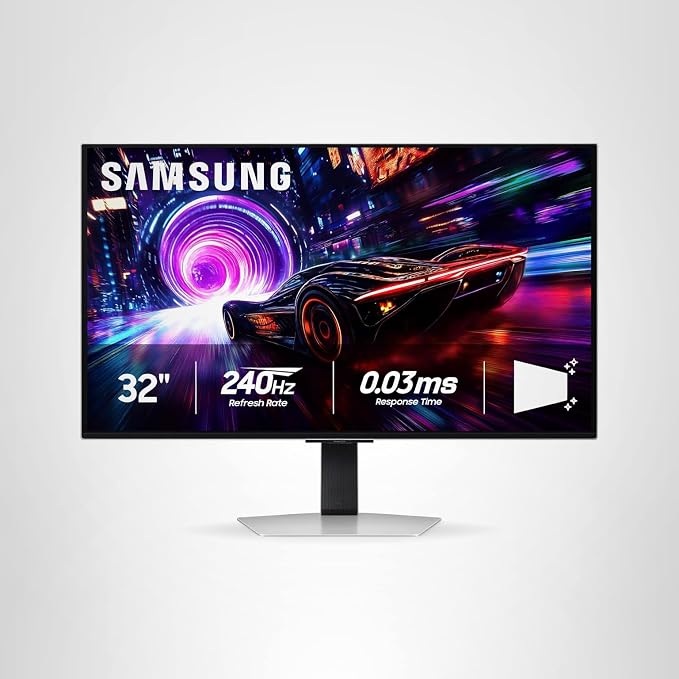
The Samsung 32” Odyssey G8 (G81SF) consistently garners exceptional praise from owners for its stunning visual fidelity, largely attributed to its 4K QD-OLED panel. Reviewers frequently highlight the "vibrant QD-OLED visuals," "deep blacks and crisp whites," and the overall "amazing picture" that delivers an immersive viewing experience, with several comparing its cinematic quality to high-end OLED televisions. The monitor boasts 99% DCI-P3 coverage and 1000-nit HDR, making colors pop and details appear incredibly sharp. Its glare-free coating is also a standout feature, effectively minimizing reflections and allowing for pristine visuals even in brightly lit environments, a significant advantage noted by multiple users. Beyond its visual prowess, the monitor achieves exceptional scores for its gaming performance. The combination of a rapid 240Hz refresh rate and an ultra-low 0.03ms response time is repeatedly described as delivering "silky smooth" and "buttery smooth" gameplay, providing a tangible competitive advantage. Owners report a transformative upgrade from previous monitors, noting enhanced immersion and responsiveness without any tearing or blur, further bolstered by AMD FreeSync Premium Pro and G-Sync compatibility. However, several owners wisely caution that a "beefy rig" with a powerful graphics card, such as an RTX 5080 or 5090, is essential to fully exploit the monitor's demanding 4K 240Hz capabilities.Thoughtful Design and OLED Longevity Features
The monitor's build quality and ergonomic design receive solid approval across owner reviews. Users were immediately impressed by the monitor's remarkably thin profile and sleek metal construction, which contribute to a premium aesthetic. The included stand is frequently lauded as sturdy, versatile, and easy to assemble, offering extensive height adjustment, swivel, and tilt options, with VESA mounting also readily supported. One particularly enjoyed aesthetic feature is the back-panel lighting system, which intelligently syncs with on-screen content to project an immersive glow onto the surrounding environment, enhancing the overall gaming and viewing atmosphere. Recognizing and addressing common concerns about OLED technology, Samsung has thoughtfully integrated several advanced features aimed at ensuring panel longevity. Owners appreciate the "quiet cooling system" and "OLED safeguard technology," which includes a cutting-edge Dynamic Cooling System utilizing a Pulsating Heat Pipe. This technology, combined with predictive algorithms and Thermal Modulation, is designed to prevent burn-in and overheating during prolonged use. While some users acknowledge the inherent possibility of "image retention" with OLEDs, the monitor’s automatic screen optimization features and pixel refresh prompts are generally seen as effective and reassuring tools for long-term maintenance. A minor design critique from a few reviewers noted that the silver bezel could be distracting when the monitor is positioned alongside other displays.Connectivity Challenges and Perceived Value
Despite its strengths in visuals and performance, the monitor's connectivity options present a clear weak point, drawing consistent feedback from owners. A recurring complaint revolves around the complete absence of a USB-C port, which many reviewers find surprising for a premium monitor released in 2025. The inclusion of DisplayPort 1.4 instead of the newer 2.1 standard is also highlighted, with several users noting that this connection limits 4K resolution to 120Hz refresh rates, requiring HDMI 2.1 for full 240Hz at 4K. Another significant and widespread critique is the lack of built-in speakers. While some owners consider external audio a standard for gaming setups, many still found the omission an inconvenience, requiring separate speaker purchases. Minor grievances also included a power cable that sometimes doesn’t appear to seat fully, or an "overly aggressive" auto-off feature that some found disruptive, although these were not typically seen as dealbreakers. Notwithstanding these connectivity drawbacks and a "steep" or "pricy" initial cost, the monitor's value for money is still generally perceived as solid. Many owners conclude that the monitor's exceptional picture quality, high refresh rate, and overall transformative gaming and viewing experience abundantly justify the investment, especially when secured through a promotional sale. Reviewers often describe it as a "luxury monitor" and a monumental upgrade, recommending it highly for serious gamers, content creators, and enthusiasts.The Good
- Exceptional 4K QD-OLED visuals with deep blacks and vibrant colors
- Outstanding gaming performance featuring a high refresh rate and ultra-fast response time
- Effective burn-in prevention technologies for enhanced OLED longevity
- Sleek and thin design with a versatile, sturdy stand
The Bad
- Lacks a USB-C port and built-in speakers
- DisplayPort 1.4 limits 4K refresh rates to 120Hz for some setups
- Some users reported minor issues with the power cable connection or an aggressive auto-off feature
What owners actually said
“Excellent monitor I’ve been using the monitor since I built my PC back in August no issues with the with the 5070 definitely recommend. Picked up a second one on sale for a second monitor use. My only cork is I wish they had it curved.”
“Gaming monitor review Was looking to upgrade to a 4k oled gaming monitor and ended up with this one. Do not regret at all. It’s super nice and clean. The best monitor I’ve ever had.”
“Amazing performance Loving this product. I'm coming from an IPS 32" 4k 60hz 6ms monitor and it shows just how better this monitor is.”
Quoted verbatim from the verified owner reviews this report was synthesized from.
Samsung 32” Odyssey G8 QD-OLED (G81SF) · 8.5/10
For those seeking a premium 4K QD-OLED gaming and content consumption experience, this monitor delivers exceptional visual fidelity and performance, provided you have a powerful enough GPU and external audio solutions.
Disclosure: ORA Metrics may earn a commission on qualifying purchases made through our links, at no extra cost to you.
Also available at Best Buy, Walmart (unaffiliated, price/availability not tracked)
Specifications
Manufacturer-published specs. Not part of the review analysis.
Display
| Aspect Ratio | 16:9 |
|---|---|
| Screen Finish | Flat |
| Contrast Ratio | 1000000:1 |
| Refresh Rate | 240 hertz |
| Display Type | OLED |
| Display Technology | OLED |
| Viewing Angle | 178 degrees |
| Brightness | 260 cd/m2 |
| Pixel Pitch | 0.18 |
| Color Gamut | 99 |
| Picture Quality Enhancement Technology | OLED |
Measurements
| Screen Size | 32 inches |
|---|---|
| Item Dimensions D x W x H | 10.37"D x 28.33"W x 23.01"H |
| Item Weight | 18.5 pounds |
Display Resolution
| Resolution | 4K 2160p |
|---|---|
| Display Resolution Maximum | 3840 x 2160 pixels |
| Native Resolution | 3840x2160 |
Power
| Power Consumption | 180 watts |
|---|---|
| Voltage | 240 volts |
Connectivity
| Connectivity Technology | DisplayPort, HDMI |
|---|---|
| Hardware Connectivity | DisplayPort, HDMI |
Display Features
| Adaptive Sync | FreeSync Premium Pro, G-Sync Compatible |
|---|
Additional details
| Additional Features | Auto Source Switch+, Eye Care, Flicker-Free, Quantum Dot Color, Super Ultrawide GameView |
|---|---|
| Specific Uses For Product | Gaming |
| Color | Silver |
| Mounting Type | Wall Mount |
| EU Spare Part Availability Duration | 3 years |
| Shape | Flat |
Item details
| Brand | Samsung |
|---|---|
| Model Number | LS32FG810SNXZA |
| Model Name | Samsung G81SF |
| UPC | 887276931739 |
| Manufacturer | Samsung |
| Unit Count | 1 Count |
| Built-In Media | 1 x HDMI In, 1 x DP In, 1 x Power Cable |
Performance
| Response Time | 0.03 milliseconds |
|---|
Ports
| Total Number of HDMI Ports | 2 |
|---|---|
| Total Usb Ports | 3 |
| Number of Component Outputs | 3 |
| Total USB 3.0 Ports | 2 |
Frequently Asked Questions
Is the Samsung 32” Odyssey G8 QD-OLED monitor good for gaming?
Yes, it offers outstanding gaming performance with a 240Hz refresh rate and 0.03ms response time, delivering silky smooth gameplay. It also supports AMD FreeSync Premium Pro and G-Sync compatibility.
What are the main strengths of the Samsung 32” Odyssey G8 QD-OLED monitor?
Its strengths include exceptional 4K QD-OLED visuals with deep blacks and vibrant colors, outstanding gaming performance, effective burn-in prevention technologies, and a sleek, thin design with a versatile stand.
Does the Samsung 32” Odyssey G8 QD-OLED monitor have any connectivity limitations?
Owners note the absence of a USB-C port and the use of DisplayPort 1.4, which limits 4K refresh rates to 120Hz for some setups. Full 4K 240Hz requires HDMI 2.1.
Does the Samsung 32” Odyssey G8 QD-OLED monitor have built-in speakers?
No, a significant and widespread critique from owners is the lack of built-in speakers, requiring users to purchase separate audio solutions.
How does the Samsung 32” Odyssey G8 QD-OLED prevent burn-in?
Samsung has integrated advanced features like a quiet cooling system, OLED safeguard technology with a Pulsating Heat Pipe, predictive algorithms, and Thermal Modulation. It also includes automatic screen optimization and pixel refresh prompts.